Clinical
Specialty Forms & Clinical Flags
Eight specialties ship with the structured consultation form their clinicians use — obstetrics and gynaecology, ENT, ophthalmology, paediatrics, cardiology, oncology, nephrology, nutrition — with units, reference ranges that flag themselves and scores where the specialty uses one. Rules read the answers and the observation chart and raise a flag on the visit when a threshold is crossed.
For:PhysiciansNursesClinical director
Where:on the visit: Specialty Form · Clinical › Configuration › Specialty Form Templates · Clinical Flag Rules
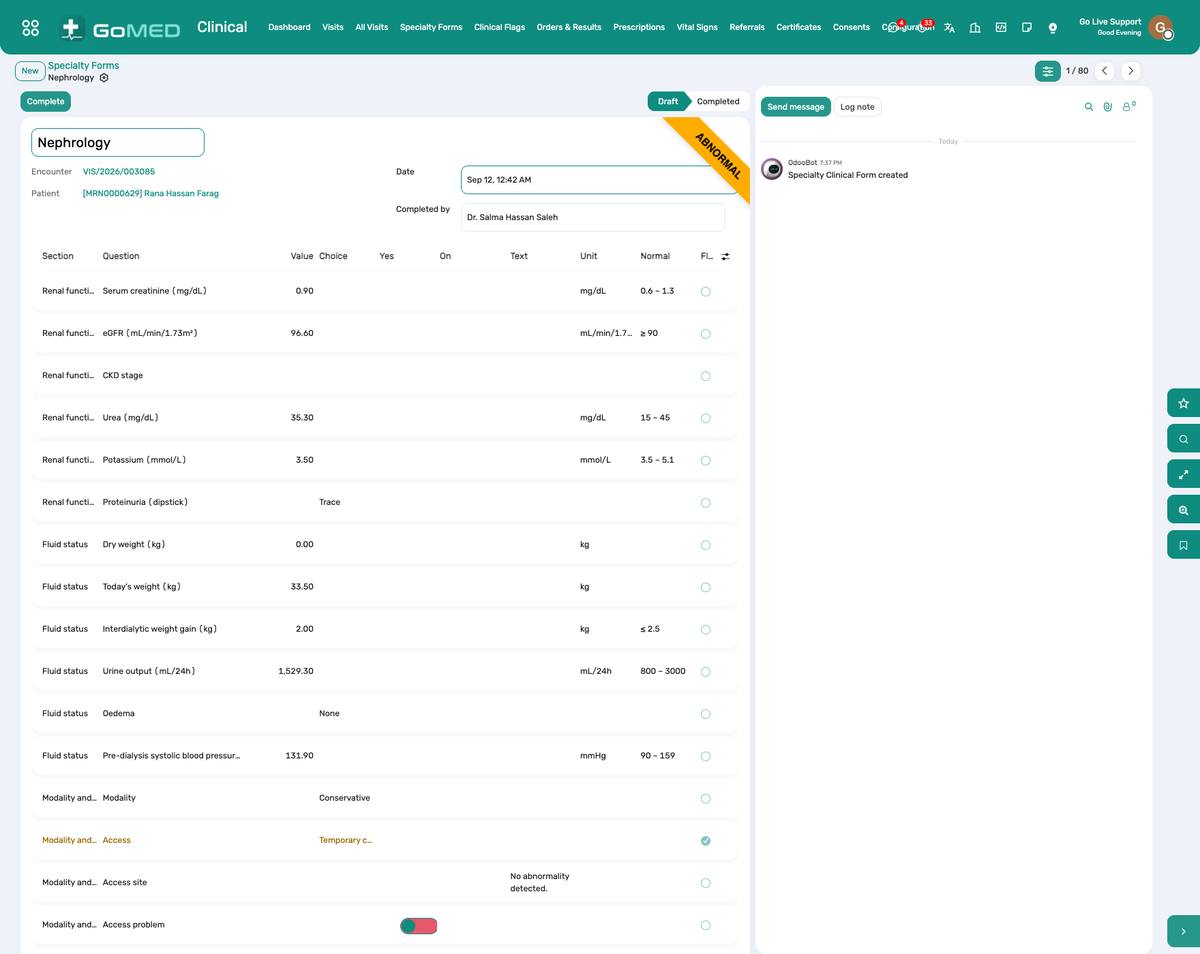
An obstetric form: typed questions with units and ranges, and the score at the bottom.
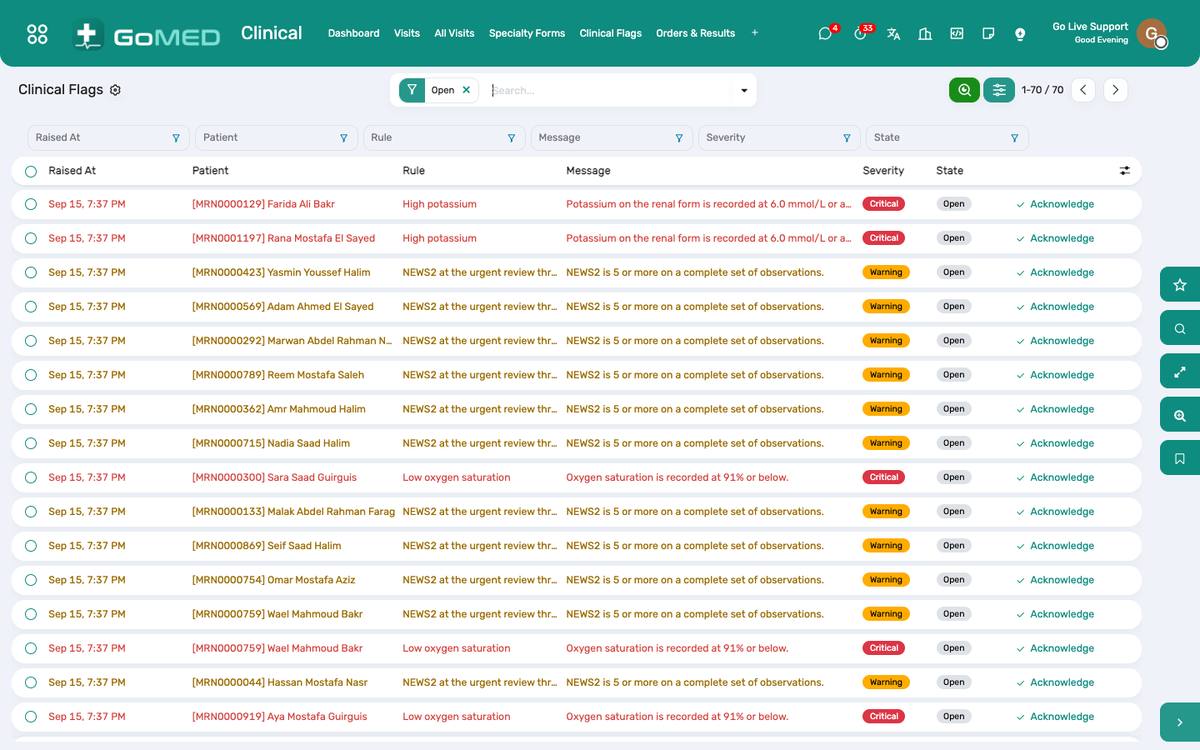
Flags raised on today’s visits, by severity.
How to
Fill a specialty form on a visit
- On the visit, Specialty Form › choose the template (the visit’s department proposes one).
- Answer the questions; a value outside its reference range is highlighted as you type.
- Scores (NYHA, ECOG, malnutrition risk…) are computed at the bottom with their band.
- Save; the answers are stored one per question, so they can be reported on across visits.
Build a form for a ninth specialty
- Clinical › Configuration › Specialty Form Templates › New: name, specialty, department.
- Add sections, then questions: type (number, choice, yes/no, text, date), unit, reference range, whether it counts towards the score.
- For a score, add the bands (from–to → label).
- Activate; it appears on visits of that department.
Duplicate the closest shipped template and edit it — quicker than starting empty.
Acknowledge a clinical flag
- A flag shows as a banner on the visit and under Clinical › Clinical Flags.
- Read what was measured and the threshold; act clinically as you judge.
- Click Acknowledge and add a note; the flag stays on the record with your name and time.
- A flag whose condition is no longer met is marked so automatically.
Write a clinical flag rule
- Clinical › Configuration › Clinical Flag Rules › New: code, name, severity, the message the clinician sees, the advice.
- Conditions: a source (an observation field, a specialty question or age/gender), an operator and a value. Group 0 conditions must all match; any other group number is “one of”.
- Limit the rule to a sex or an age band if needed; activate it. It runs on every new observation or form answer.
See also: Visits (EMR) Nursing Station & Barcode eMAR