Diagnostics & pharmacy
Radiology
The exam catalogue by modality, imaging requests from the chart or the desk, safety checks before the study (pregnancy, contrast allergy, kidney function), the worklist per modality, the report written from a template and verified by the radiologist, and the link to the PACS study.
For:RadiographersRadiologistsReception
Where:Radiology › Imaging Requests · Configuration › Exam Catalogue · Modalities
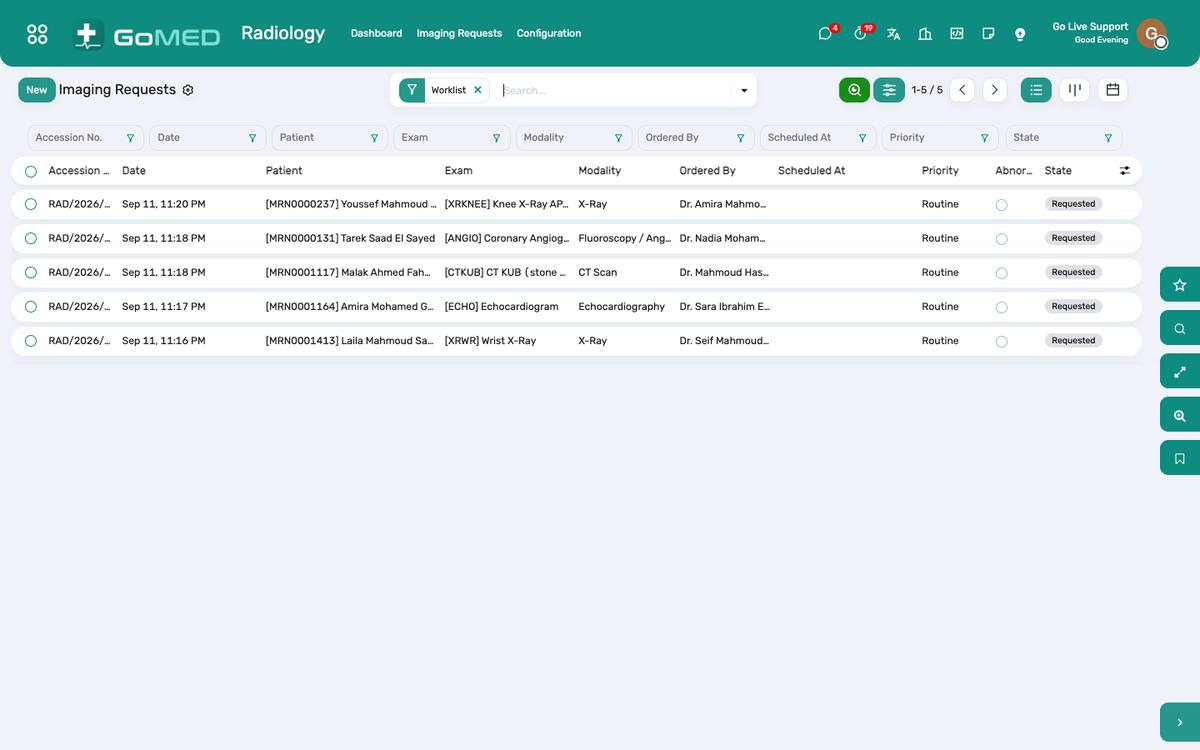
Imaging requests by modality and state.
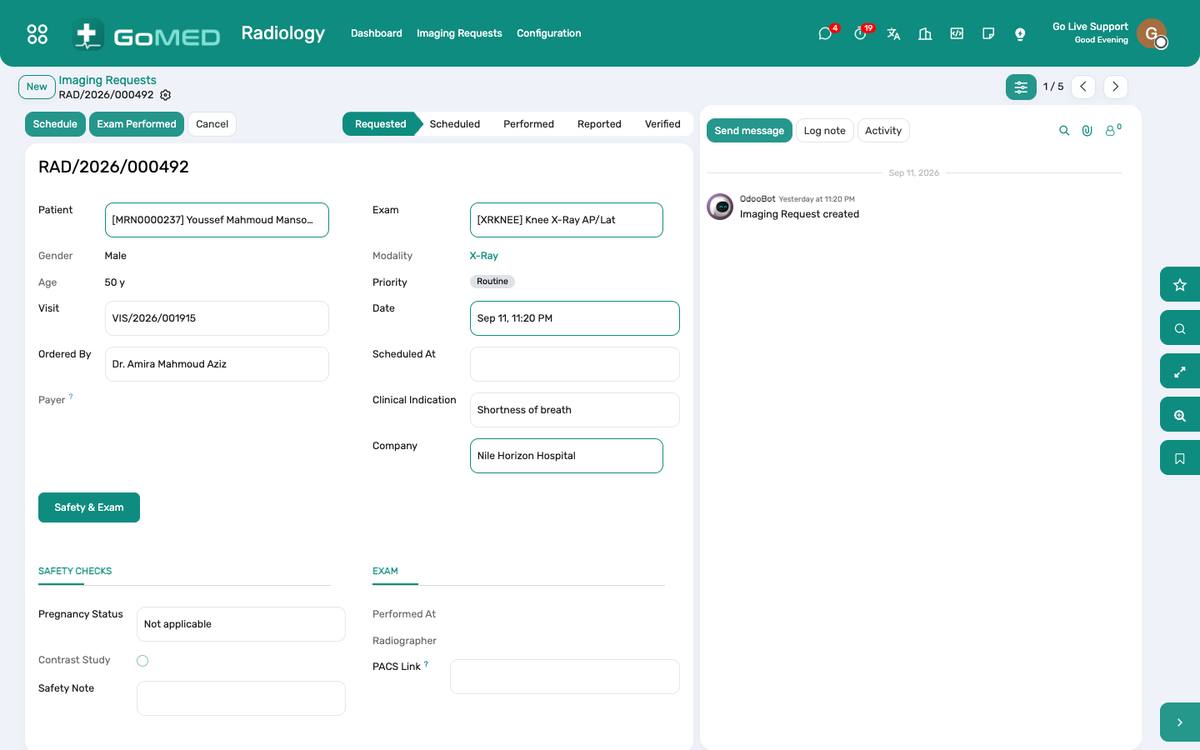
The request: safety questions, the study, the report and its verification.
Before you start
- Modalities and exams
- Radiology › Configuration: X-ray, CT, MRI, ultrasound, mammography…; each exam with its modality, duration, contrast, price and the report template.
How to
Register and schedule a study
- Radiology › Imaging Requests: orders from the visits arrive here; a walk-in request is typed with the referring doctor.
- Answer the safety questions: pregnancy status, contrast allergy, creatinine for contrast studies, metal implants for MRI.
- Schedule the slot on the modality; the patient receives the preparation instructions.
Perform the study
- Start when the patient is on the table; Done when the images are acquired; the accession number is the PACS key.
- Contrast given, dose and lot are recorded for the charge and the register.
Report and verify
- The radiologist opens the study, picks the report template, dictates or types findings and impression.
- Verify: the report is signed, released to the visit, the portal and the app; a results-ready SMS goes out.
- Critical findings notify the referring practitioner.
See also: Prescriptions & Orders Laboratory & Specimens Bills, Charges & Cashier