Patients online
Mobile App (patients and staff)
One installable app at /app — no store account, installed from the browser on Android and iPhone. Who signs in decides what it shows: a patient’s care (book, results, medicines, queue, video, consents, vaccinations, bills, meals, call for help) or a staff member’s day (check-in, duties, swaps, tasks, self-service, indoor location). Push notifications; Arabic and English.
For:PatientsNursesAll staff
Where:https://<hospital>/app · Patients › Configuration › Mobile App
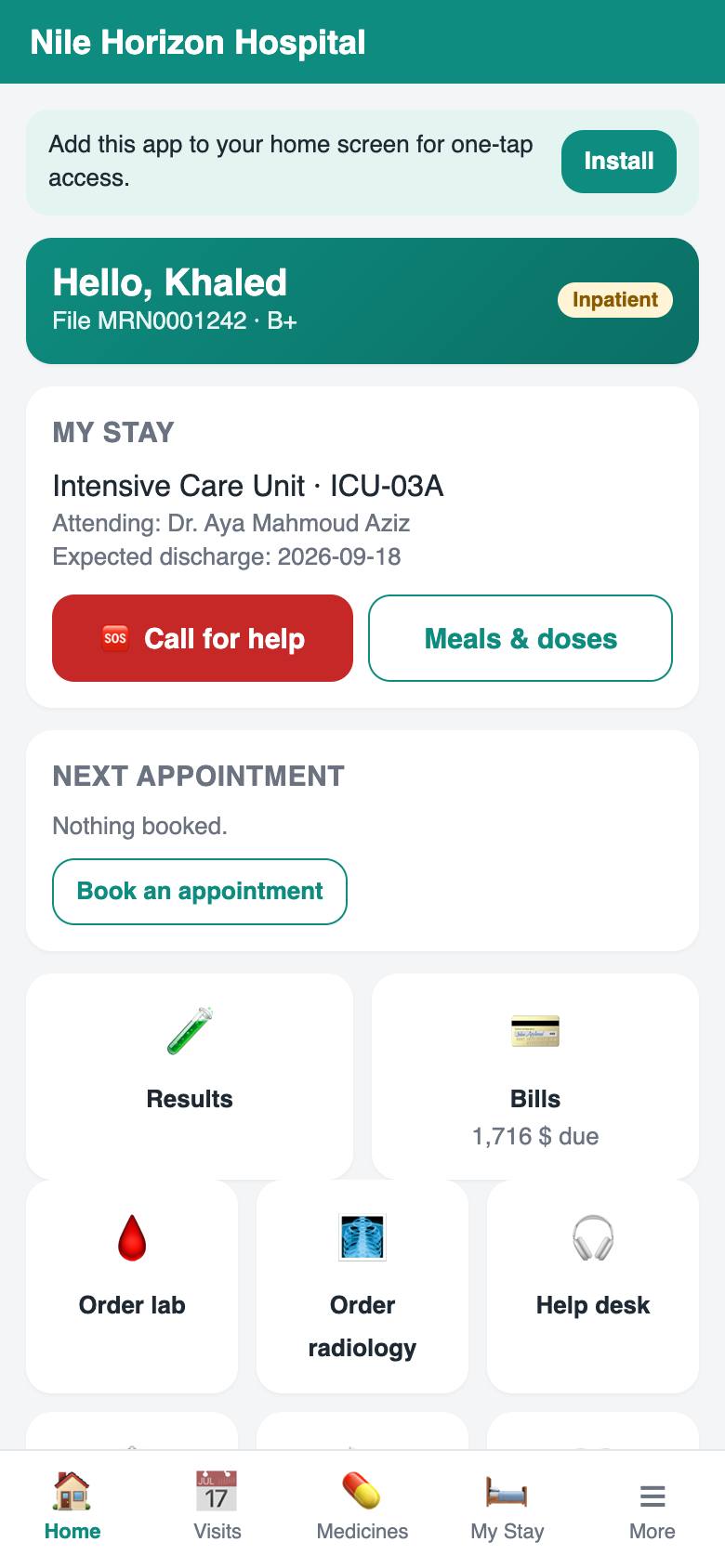
The patient home: today’s visit, medicines due, results.
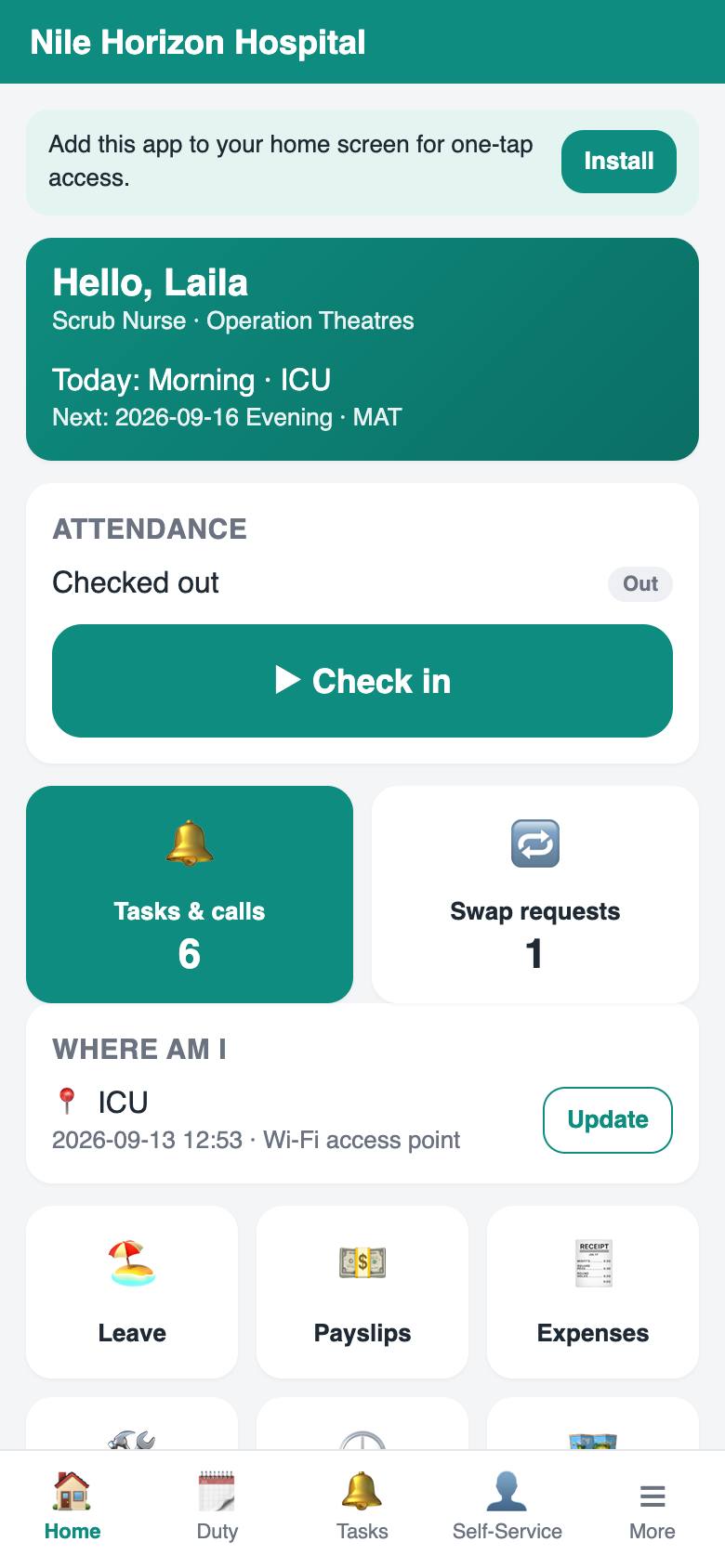
The staff home: check-in, duty, tasks, where I am.
Before you start
- Push
- Patients › Configuration › Settings › Push Notifications: set up at install when the pywebpush package is present; the staff and patients allow notifications the first time.
- Indoor location
- Patients › Configuration › Location Zones: wards, clinics, theatres, offices, each with its Wi-Fi access points or a QR printed at the door.
How to
Install the app on a phone
- Open https://<hospital>/app in the phone’s browser and sign in.
- Android: “Add to Home screen” from the menu; iPhone: Share › Add to Home Screen.
- Allow notifications when asked.
Patient: book, read results, take medicines on time
- Book: a visit, a test or a study from Book; results appear under Results with the PDF; prescriptions under Medicines with dose reminders pushed at the times computed from the frequency.
- Today: the queue position and the Join button for a video visit; Consents: read and sign; Vaccines: the card and the next dose.
Staff: check in, see duties, swap a shift
- Home › Check in / Check out (attendance).
- Duty: the roster for the coming weeks; Ask to swap: choose the colleague and, optionally, the duty taken in exchange; the colleague accepts in their app and the department approves.
- Tasks: the ward’s nursing tasks and calls for help; Done from the phone.
Staff: self-service
- More › Leave (request, balance), Payslips, Expenses (photo of the receipt), Help desk tickets.
Staff: record where you are
- Where I am: pick the zone, or scan the QR at the door; with the Wi-Fi controller feed it is automatic.
- The charge nurse sees the team on the map under Patients › Staff Locations.
See also: Patient Portal Nursing Station & Barcode eMAR Staff, Roster, Attendance & Payroll Help Desk