Clinical
Admissions & Bed Board
Wards, rooms and beds with classes and prices; admissions from the ER, the clinic or a booking; transfers between beds and wards; discharge with a summary; the bed board that shows the hospital at a glance and accrues the bed-day charge every night.
For:Admissions deskWard clerksPhysiciansNurses
Where:Inpatient › Bed Board · Admissions · Configuration › Wards
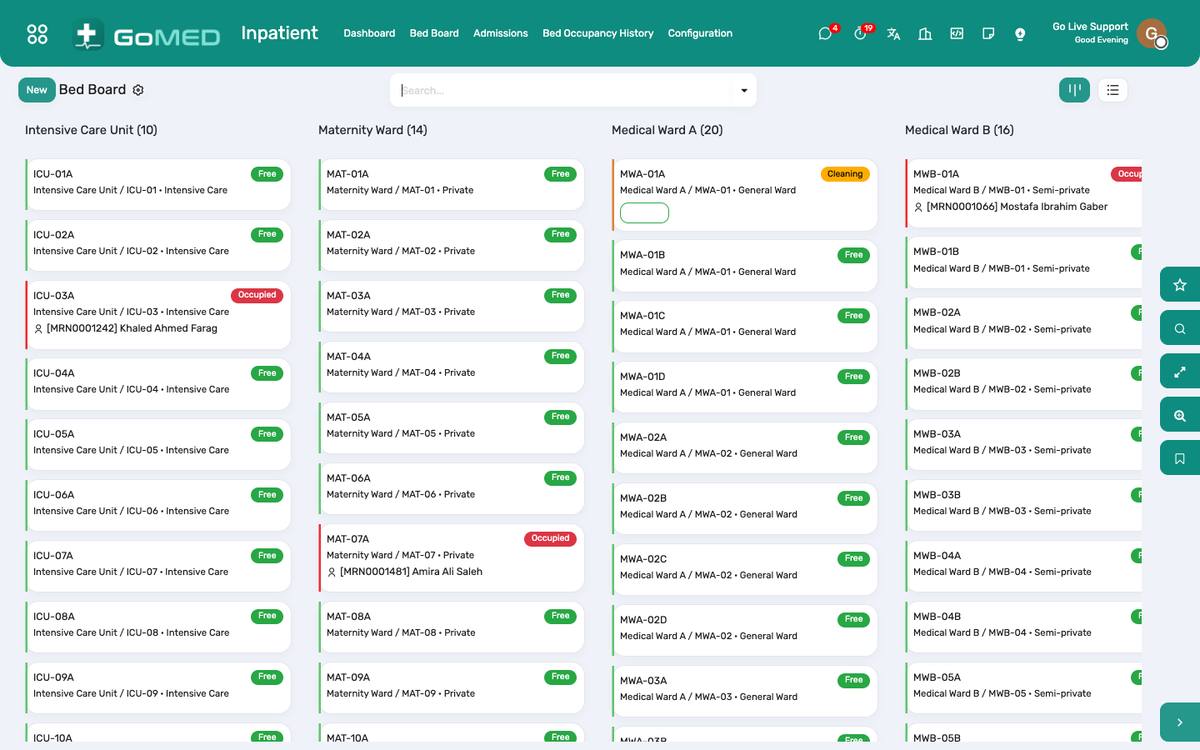
The bed board: every bed, its patient, days in, and what is due.
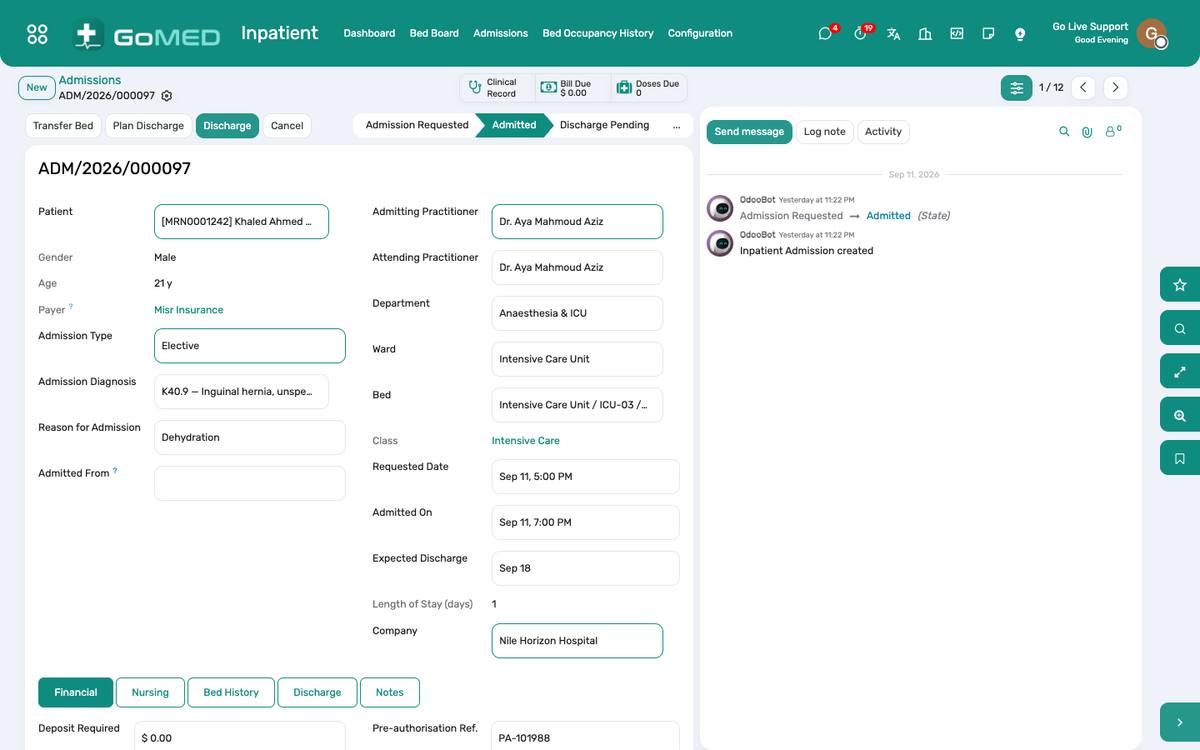
The admission: attending, diagnosis, bed history, orders and the discharge.
Before you start
- Wards and beds
- Inpatient › Configuration › Wards: rooms, beds, bed class (general, semi-private, private, ICU) and the daily service each class bills.
How to
Admit a patient
- Inpatient › Admissions › New (or Admit from the ER visit or the clinic visit).
- Patient, attending practitioner, admitting diagnosis, expected length of stay, the payer; pick a free bed on the board.
- Confirm: the bed turns occupied, the wristband prints, the inpatient visit opens for the ward.
Transfer between beds or wards
- On the admission, Transfer: the new bed, the reason, the time.
- The bed history keeps every move; the bed-day charge follows the class of the bed slept in.
Discharge
- On the admission, Discharge pending when the doctor decides; the cashier sees the bill to settle.
- Discharge: type (home, transfer, against advice, deceased), summary, medicines to take home, follow-up date.
- The bed is released to Housekeeping for cleaning and returns to free when they confirm.
Read the bed board
- Inpatient › Bed Board: wards as columns, beds as cards with the patient, days in, alerts, NEWS2 and the next due item.
- Filter by ward; click a bed to open the admission; free and cleaning beds are colour-coded.
- Occupancy history is under Inpatient › Bed Occupancy History for the monthly report.
See also: Nursing Station & Barcode eMAR Intensive Care Charting Bills, Charges & Cashier Emergency Department